Schema Markup Generator
Generate valid JSON-LD structured data for 15 schema types. Copy, download, or embed directly into your HTML. All generated markup follows Schema.org standards; always validate eligibility against current Google rich result guidelines.
Task flow
Choose type → fill fields → generate → validate → copy or download
Use this generator as a staged implementation handoff: create JSON-LD, check warnings, validate it externally, then copy the script into the page.
- 1Choose typePick the schema that matches the visible page.
- 2Fill fieldsUse complete names, URLs, dates, and required properties.
- 3GenerateReview the live JSON-LD preview for warnings.
- 4ValidateTest with Schema.org or Google tools before publishing.
- 5Copy/exportCreate a handoff for the developer or CMS editor.
Check existing JSON-LD locally
Paste the JSON inside a JSON-LD script, not the HTML wrapper. This bounded syntax and top-level shape check does not fetch contexts or prove rich-result eligibility.
Manual external step: Open Schema.org Validator for vocabulary checks or Google Rich Results Test for supported Google features. Review what you paste there; no markup is transferred automatically.
Select Schema Type
Generated JSON-LD
// Select a schema type and fill in the form
AI Schema Review
Review the generated JSON-LD for likely gaps, mismatches, and validation steps before publishing.
Before publishing:Test this markup with Google’s Rich Results Test or Schema.org Validator and confirm it matches visible page content.
Optional. Clicking this button sends the current generated JSON-LD and selected schema type through our server to OpenAI for review. Responses may be reused from a server cache for up to 24 hours. Do not submit private URLs, passwords, API keys, or confidential text.
About Schema Markup
Schema markup (structured data) helps search engines and other systems understand your content better. Some schema types may support enhanced search features when the page is eligible and the markup follows current guidelines. This generator supports 15 schema types covering the most common structured data needs.
Company name, logo, contact info, and social profiles
Address, phone, hours, and service area
Question and answer pairs for standards-based FAQPage markup
Why Schema Markup Matters for SEO
Adding accurate structured data to your website is a common technical SEO improvement when the markup matches visible page content. Here's why it matters:
- Enhanced feature eligibility — Some schema types may support rich results when the page and markup meet current search engine guidelines.
- Machine-readable context — Structured data gives compatible systems a clearer description of entities, actions, and page details.
- Entity clarity — Accurate Organization and LocalBusiness markup can help compatible systems understand brand, location, contact, and profile details when they match visible page content.
- Standards-based markup — Structured data keeps important page details machine-readable, but it does not guarantee rich results or future search visibility.
Best Practices
- Use JSON-LD format — it's Google's preferred format and the easiest to implement and maintain.
- Understand required and recommended properties — Google-supported rich-result types may have required and recommended properties; Schema.org validity and Google rich-result eligibility are not the same thing.
- Use absolute URLs for all URL fields — never use relative paths in schema markup.
- Keep information accurate and up-to-date — outdated schema can confuse search engines and harm user experience.
- Mark up visible content only — Google discourages marking up content that isn't visible to users on the page.
- Test your markup — always validate with Google's Rich Results Test after deployment.
- Combine relevant schema types only when they accurately represent visible page content.
Schema Markup Generator Examples: Valid vs. Broken Inputs
Use these examples before testing your own site so you know what a normal result and a problem result should look like.
Choose Organization schema and enter a real business name, homepage URL, logo URL, sameAs profile URLs, and contact details that match the website.
Malformed JSON is a syntax error. Missing consumer-specific fields need separate review. Relative identifiers can resolve against a base IRI; this generator recommends absolute resource URLs for portability.
Preview the finished result
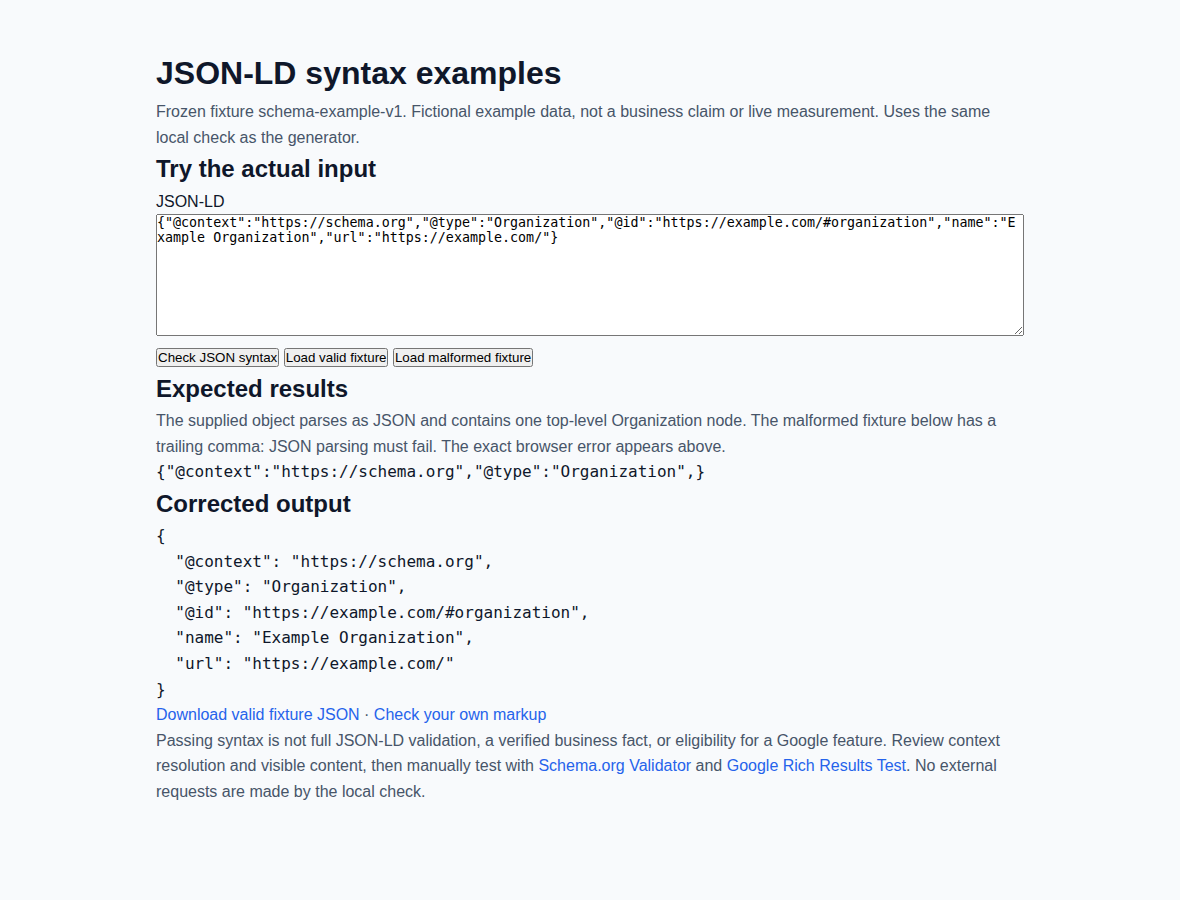
How to Interpret the Result
Complete the fields required for your target rich-result type first, then verify the JSON-LD in a structured data testing tool before publishing.
Common Failure Cases
- Wrong schema type for the page
- Missing required name or URL
- Relative URLs instead of absolute URLs
What warnings mean
Warnings usually mean the JSON-LD is incomplete, inconsistent, or risky to publish without another pass. They do not guarantee a rich-result problem, but they do signal that the markup may be hard for machines to trust or parse cleanly.
What this tool cannot know
- Whether the schema matches every visible detail on the live page after implementation.
- Whether Google currently supports enhanced results for that schema type or will show them for your page.
- Whether template logic, CMS plugins, or duplicate schema blocks will conflict after the markup is added to production.
Frequently Asked Questions About Schema Markup
Tool notes · Reviewed Jun 2026 · Sources and limitations
Review details: 2026-06-01 · Marc LaClear · v1.1
Reference sources:
Known limits:
- Generated markup is valid Schema.org vocabulary, but rich-result eligibility is decided by each platform under its current guidelines.
- FAQPage structured data is valid Schema.org vocabulary; Google discontinued FAQ rich results on May 7, 2026.